Source: RAWG
Page Summary

Best Gaming PC for Wallpaper Engine at 1080p

Wallpaper Engine itself needs very little hardware at 1080p, but the real question is whether your PC can keep animated wallpapers running in the background while you game or work. This selected build pairs a Ryzen 5 9600X with an RX 9060 XT 16GB, giving you enough overhead to run desktop animations at 1920x1080 without competing with foreground performance.

Recommended Build: Reliable Daily Driver Build
Estimated Budget: $1,400.00
About this scenario

What matters for Wallpaper Engine

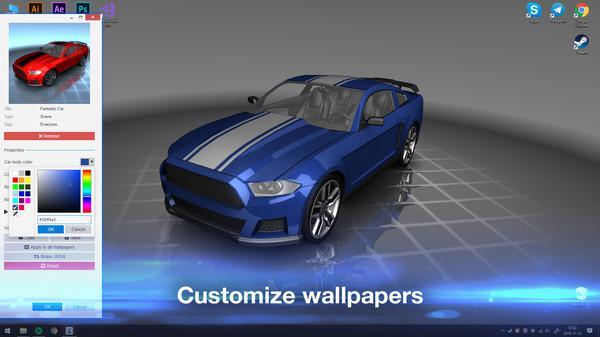
Wallpaper Engine is desktop customization software, not a traditional game, but it still draws on your hardware. It displays animated, interactive, and video-based wallpapers on your Windows desktop using content from the Steam Workshop or your own creations. At 1080p—the most common desktop resolution—most wallpapers place a light load on a modern system. Simple 2D animations or looping background videos barely register in GPU usage, and even integrated graphics can handle them comfortably. Where Wallpaper Engine becomes relevant for PC builders is what happens when it runs alongside actual games or demanding software. The software uses your GPU continuously to render the desktop background, and the load scales with wallpaper complexity. A basic animated scene at 1920x1080 uses only a small slice of GPU capacity, while real-time 3D environments with complex shaders, particle effects, and high-frame-rate video draw noticeably more. Multi-monitor setups multiply this effect. Wallpaper Engine provides built-in controls—it can pause when a full-screen application takes over, and you can limit frame rate or reduce wallpaper quality to minimize resource use during gaming. Steam Workshop content varies wildly in performance demands, so a user running simple nature loops has very different needs than someone using dense 3D scenes. For most people using Wallpaper Engine at 1080p, the system requirements alone are minimal. The more practical question is whether your 1080p gaming PC has enough headroom for the desktop and your games to coexist smoothly.
Performance priority
Low-overhead background rendering that does not interfere with foreground tasks
Component focus
For Wallpaper Engine at 1080p, the priority is a GPU with enough headroom and VRAM to handle background animations while your main application runs. A balanced CPU also helps when multiple tasks compete for resources, and fast storage keeps Steam Workshop wallpaper libraries responsive.
Recommended build

Reliable Daily Driver Build

CPU
AMD Ryzen 5 9600X 6-Core 3.9GHz AM5 65W CPU
GPU
SAPPHIRE PULSE AMD Radeon RX 9060 XT OC 16GB
Cooler
Thermalright Peerless Assassin 120 SE ARGB CPU Air Cooler
Motherboard
ASUS Prime B650-PLUS WiFi ATX DDR5 HDMI Motherboard
RAM
Patriot Viper Elite 5 16GB DDR5-6000 (PC5-48000) RAM Kit
Storage
Kingston NV3 1TB M.2 2280 PCIe 4.0 NVMe SSD
Case
Montech AIR 903 BASE E-ATX Mid Tower Case High Airflow with Max Capacity
PSU
MSI MAG A650BN 650W 80+ Bronze ATX 3.1 PSU
Why we chose it

Why this build makes sense

The AMD Ryzen 5 9600X paired with the SAPPHIRE PULSE RX 9060 XT 16GB hits a sweet spot for Wallpaper Engine at 1080p because the real situation is rarely just the wallpaper software alone. The Ryzen 5 9600X's six efficient Zen 5 cores handle multitasking cleanly—when Wallpaper Engine updates the desktop background while you are gaming, streaming, or browsing, the processor keeps everything responsive without stuttering. The RX 9060 XT's 16GB of VRAM provides more than enough dedicated memory for animated desktop content. Wallpaper Engine renders continuously in the background, and complex Steam Workshop creations with 3D effects or video use that VRAM pool. With 16GB available, the GPU can service both your desktop wallpaper and your game simultaneously without one starving the other of memory. The Patriot Viper Elite 5 16GB DDR5-6000 kit covers typical multitasking demands. Wallpaper Engine itself uses modest system memory, but running it alongside a browser, Discord, and a game benefits from fast DDR5 speeds. The 1TB Kingston NV3 NVMe SSD gives you quick access to a growing wallpaper library from Steam Workshop while keeping game load times fast on the same drive. The MSI 650W power supply and Montech AIR 903 case deliver reliable power and solid airflow for the components. None of this build is overkill—it simply ensures that running Wallpaper Engine at 1080p never becomes the reason your foreground performance drops. You get consistent desktop animations and consistent gaming without needing to toggle features or worry about background load.

Not sure if this build is right for you?

Every gamer is unique. Stop guessing and let our smart engine build a custom rig tailored exactly to your budget and the games you actually play.

Take the PCBuildQuiz!

A Note on Market Volatility

Our mission at PCBuildQuiz is to help you get maximum performance for every dollar by scanning for the best new retail prices 24/7. However, the hardware market can be unpredictable, and specific components like RAM or GPUs may experience temporary price spikes due to shortages. If a price seems unusually high, we recommend checking reputable used marketplaces or waiting for the volatility to settle because we would rather you save money than overpay for a brand new box.

Affiliate Disclaimer

Transparency is key. Some links on this page are affiliate links. This means if you click through and make a purchase, we may earn a small commission at no extra cost to you. This supports our servers and keeps our build engine free for everyone.