Source: RAWG
Page Summary

Best Gaming PC for War Thunder at 1440p

A strong GPU paired with a modern mid-range CPU is the foundation of a good War Thunder PC build at 1440p, where the resolution bump sharpens vehicle detail and terrain clarity but also pushes graphics hardware harder during large multiplayer battles. This recommended build centers on an RTX 5070 and Ryzen 5 9600X, giving 1440p players the GPU headroom and system balance needed to keep frame pacing stable without overspending on components that would not meaningfully improve your experience.

Recommended Build: 1440p Combat Ready Build
Estimated Budget: $1,600.00
About this scenario

What matters for War Thunder

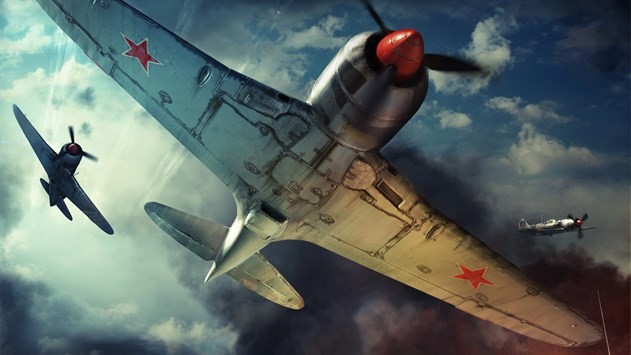
War Thunder is a free-to-play vehicular combat MMO where teams of historically detailed aircraft, tanks, and warships engage across large-scale maps. Players grind through technology trees in Arcade, Realistic, and Simulator battle modes, each placing different demands on your gaming PC. At 1440p, the jump in resolution makes vehicle models, cockpit instruments, and distant terrain noticeably sharper than 1080p—visual clarity that gives a real edge in Realistic and Simulator modes where identifying targets at range matters. That sharper image comes at a cost. The higher pixel count pushes the GPU harder, especially when matches fill with dozens of players, heavy tracer and explosion particle effects, and dense foliage or urban terrain. The Dagor Engine scales well across hardware, but a PC that barely clears War Thunder's minimum system requirements will struggle with frame pacing at 1440p. CPU load also matters: crowded multiplayer battles and Simulator mode can spike processor usage when the engine tracks many simultaneous vehicles and physics interactions. Anyone comparing 1440p gaming PC options for War Thunder should understand that this resolution sits in a practical middle ground. It is not as punishing on hardware as 4K, but it demands a meaningfully stronger GPU than what most entry-level 1080p setups provide. The best PC build for War Thunder at 1440p leads with graphics capability while making sure the surrounding hardware does not create a bottleneck during heavy combat.
Performance priority
Sharper 1440p visuals with GPU-driven stability and consistent frame pacing in multiplayer
Component focus
At 1440p, the GPU takes on the most additional load compared to lower resolutions, making a capable graphics card and solid 12GB of VRAM the top priority. A competent six-core CPU and fast storage then support smooth asset streaming and prevent bottlenecks in crowded battles.
Recommended build

1440p Combat Ready Build

CPU
AMD Ryzen 5 9600X 6-Core 3.9GHz AM5 65W CPU
GPU
PNY NVIDIA GeForce RTX 5070 12GB GDDR7 Triple Fan Graphics Card
Cooler
Thermalright Peerless Assassin 120 SE ARGB CPU Air Cooler, 6 Heat Pipes, Dual PWM Fans
Motherboard
ASUS Prime B650-PLUS WiFi Motherboard
RAM
Patriot Viper Elite 5 16GB (1x16GB) DDR5-6000 RAM Kit
Storage
Kingston NV3 1TB M.2 2280 NVMe SSD
Case
Montech AIR 903 BASE E-ATX Mid Tower Case High Airflow
PSU
MSI MAG A650BN 650W 80+ Bronze ATX 3.1 PCIe 5.1 PSU
Why we chose it

Why this build makes sense

This build puts the NVIDIA GeForce RTX 5070 at the center, which is the right priority for War Thunder at 1440p. The game's visual strengths—detailed vehicle models, realistic lighting across large open environments, and dense particle effects during firefights—benefit directly from strong GPU processing. The RTX 5070 provides enough headroom to run higher texture and shadow settings without choking during the most crowded multiplayer engagements, and its 12GB of VRAM gives breathing room for War Thunder's growing content library and higher-resolution textures that 1440p makes more visible. The AMD Ryzen 5 9600X complements this GPU without wasting budget. War Thunder's CPU load spikes in Simulator battles and packed Realistic matches where the engine tracks many simultaneous vehicles and physics calculations at once. The 9600X's six Zen 5 cores handle these workloads capably at 1440p, where the GPU is typically carrying the heavier share of the workload. You get responsive system performance without paying for extra cores that this particular game does not meaningfully use. Sixteen gigabytes of DDR5 memory provides fast access for War Thunder's frequent asset loading between respawns and map sections, and the 1TB NVMe SSD keeps load times short while avoiding the micro-stutters that slower storage can cause when the engine streams large terrain segments. The ASUS B650 motherboard offers solid AM5 platform connectivity, the Thermalright Peerless Assassin keeps the Ryzen cool under sustained load, and the 650W power supply comfortably covers the system with room to spare. For someone asking what gaming PC they need for War Thunder at 1440p, this build delivers the visual clarity of the resolution with stable, balanced performance—without overspending on parts that would not improve the experience.

Not sure if this build is right for you?

Every gamer is unique. Stop guessing and let our smart engine build a custom rig tailored exactly to your budget and the games you actually play.

Take the PCBuildQuiz!

A Note on Market Volatility

Our mission at PCBuildQuiz is to help you get maximum performance for every dollar by scanning for the best new retail prices 24/7. However, the hardware market can be unpredictable, and specific components like RAM or GPUs may experience temporary price spikes due to shortages. If a price seems unusually high, we recommend checking reputable used marketplaces or waiting for the volatility to settle because we would rather you save money than overpay for a brand new box.

Affiliate Disclaimer

Transparency is key. Some links on this page are affiliate links. This means if you click through and make a purchase, we may earn a small commission at no extra cost to you. This supports our servers and keeps our build engine free for everyone.